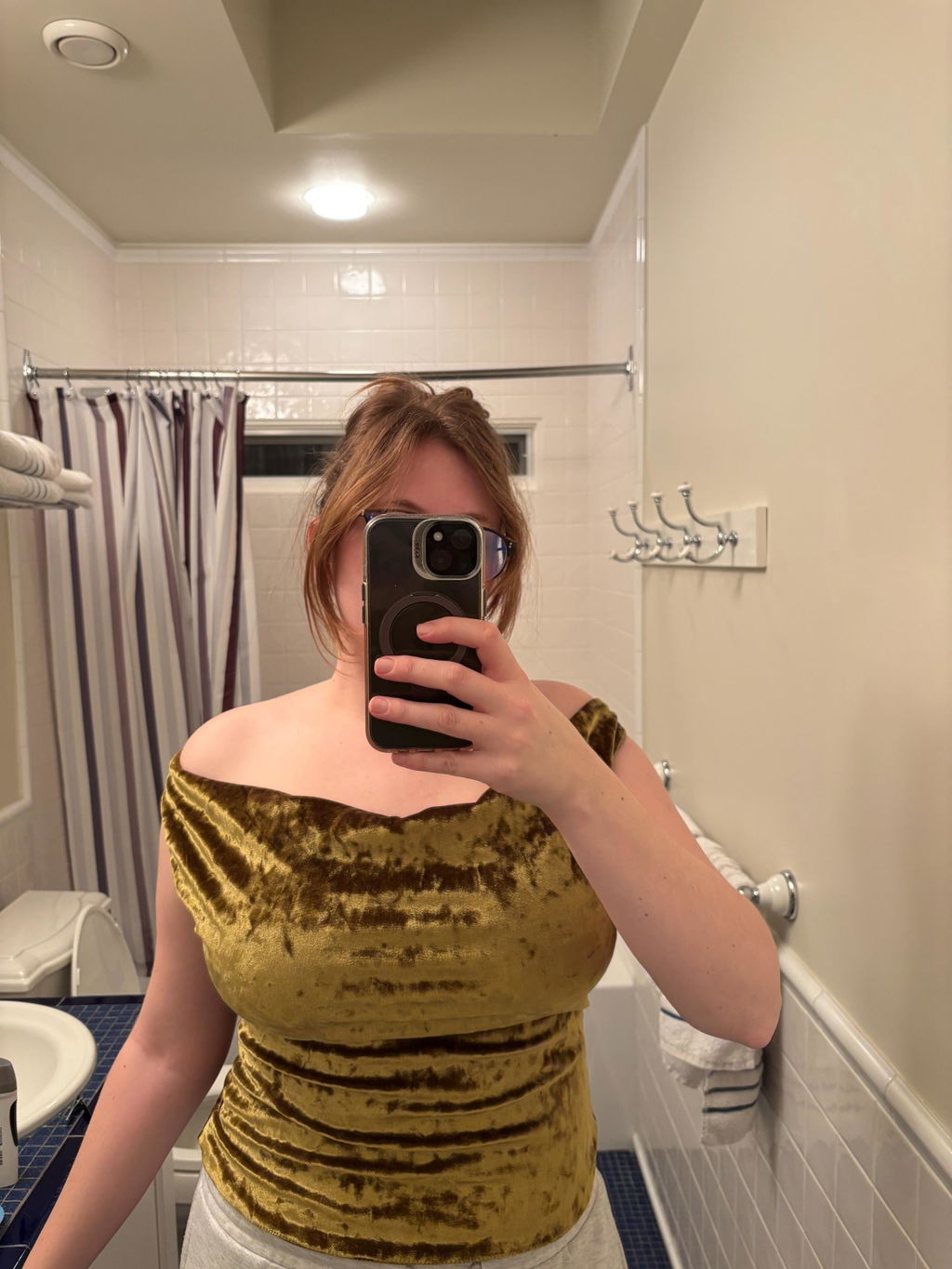
Hera Top and Dress (Stretch) | Size UK4-24 US0-20 | PDF SEWING PATTERN (Video)
Hera Top and Dress (Stretch) | Size UK4-24 US0-20 | PDF SEWING PATTERN (Video)
Couldn't load pickup availability
DIGITAL DOWNLOAD ONLY, NO PHYSICAL PRODUCT WILL BE DELIVERED TO YOU.
Youtube tutorial:
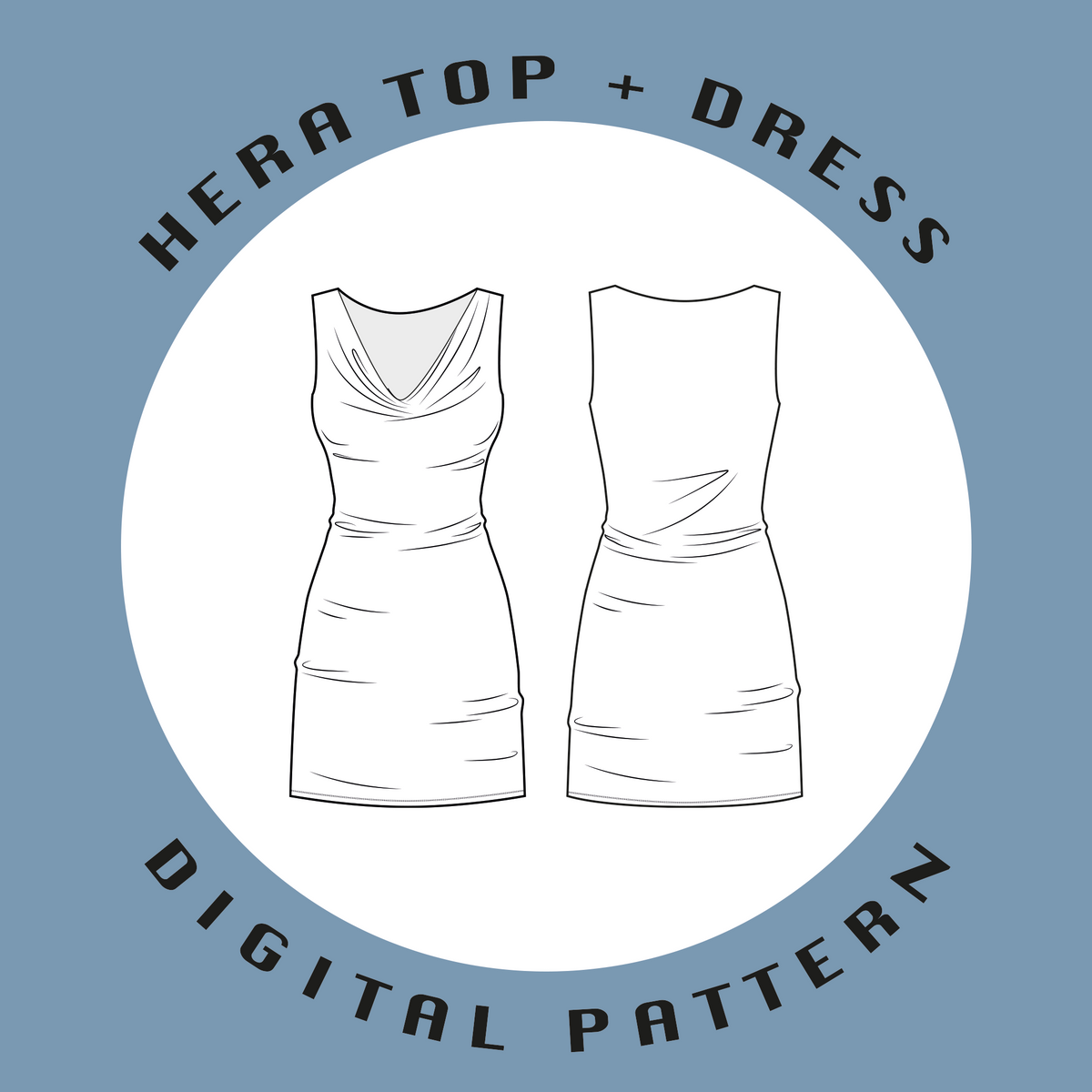
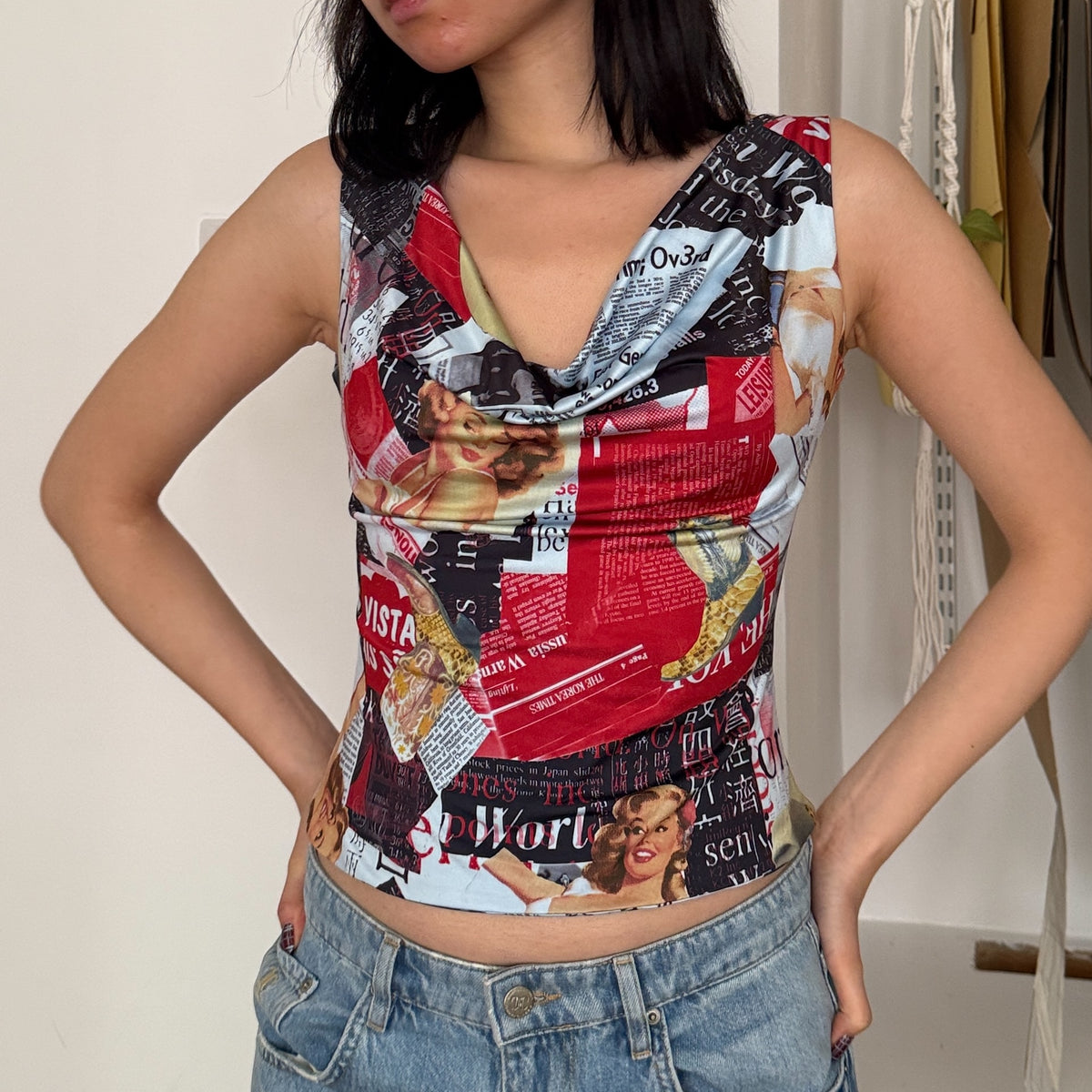
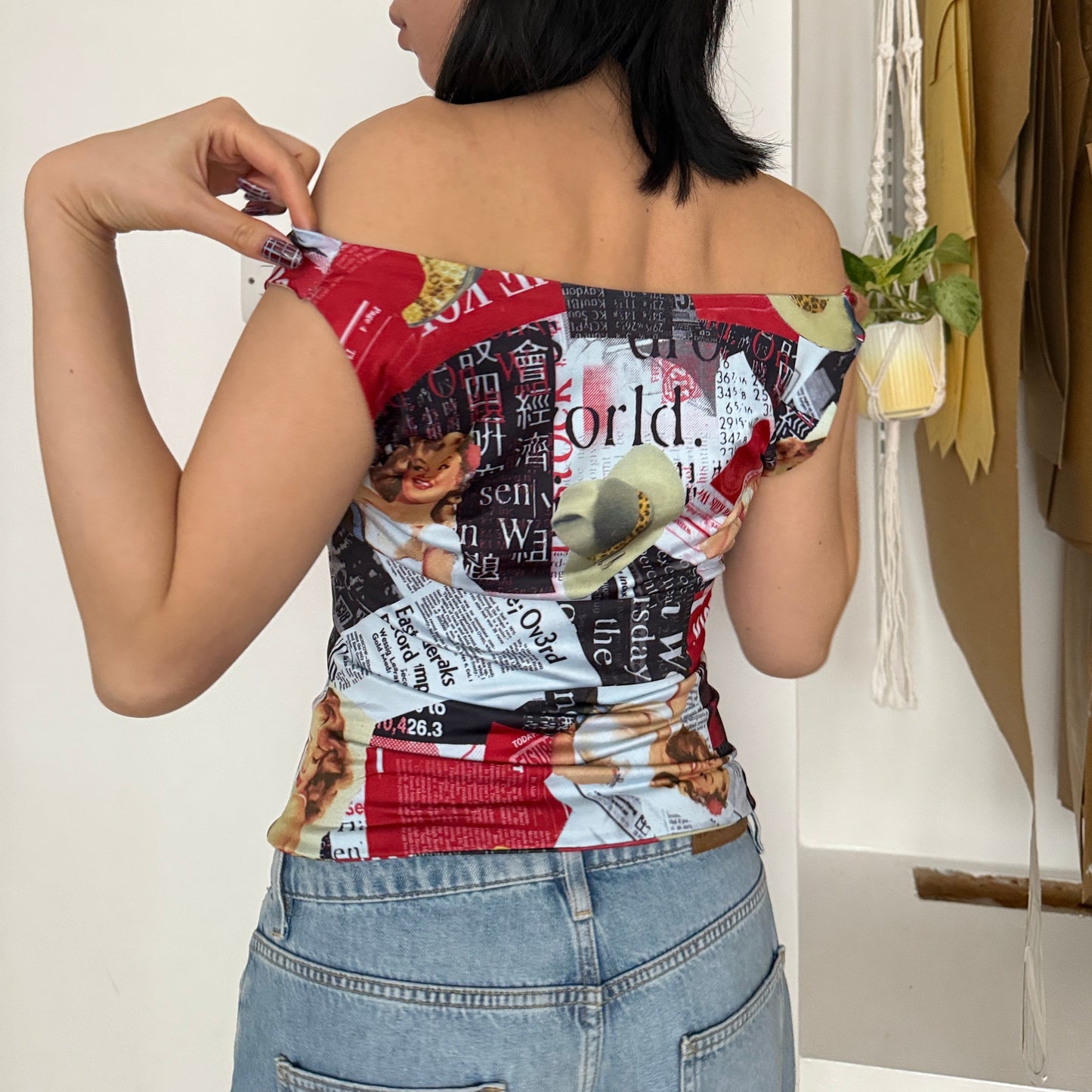
A transforming cowl neck jersey top or dress that can be worn two ways. The construction method leaves the top completely lined and seamless. The dress is also fully lined but opens up into two layers at the hem.
Latest update: 18-02-2026 (file permissions)
Sewing Level
Sewing Level
Beginner.
This is a really simple sewing project that can be completed in just a couple of hours however, the seamless hem may be more on the intermediate side. A beginner and more complex hemming method will be shown to accommodate both sewing levels.
Printing Formats
Printing Formats
A0, A4 and US Letter
Materials required
Materials required
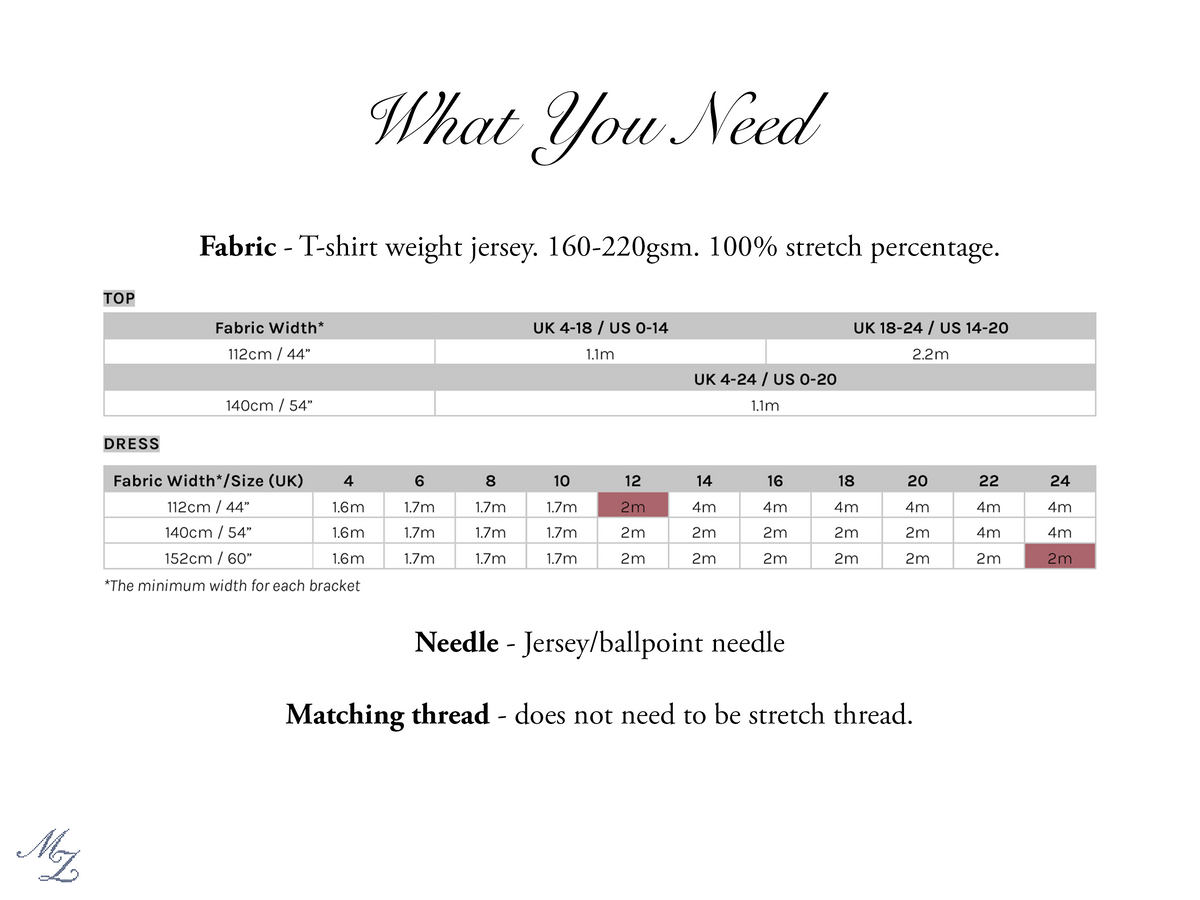
2-4m of jersey fabric (see image for more details)
Fabric and Material Recommendations
Fabric and Material Recommendations
Jersey is the recommended and tested fabric, specifically cotton jersey. T-shirt thickness. Other knit fabrics have not been tested but may also work.
Stretch percentage: The ideal stretch percentage is 100%. The yellow polka dot dress was made with a fabric that wasnt stretchy enough (what happens when you order online). It only had about 60% stretch. The cowl ended up being really stiff and did not sit properly. If your fabric is similar to this but you would still like to use it, I would recommend sizing up.
Weight: between 160gsm and 220gsm. Anything similar to a t-shirt thickness. If you choose a fabric on the thicker end, there will be less folds and creases when it’s on the body. Remember, the garment is fully lined so the fabric will be doubled up.
Examples: Cotton jersey, viscose jersey, spandex jersey
General Equipment
General Equipment
It is assumed that you own general sewing equipment for this pattern. This includes cutting tools (paper AND fabric), pins, snips, fabric marker, rulers, sewing machine and iron.
Project Specific Equipment
Project Specific Equipment
1. Jersey/ballpoint needle
2. Overlock
This top pattern has been designed so that only one normal sewing machine is needed however, if you wish to use an overlock, you can. Bear in mind that you won’t be able to press the side seams open unless you overlock the side seams individually, then stitch them together on a regular machine. The dress sewing notes at the end of the instructions will go over this.
Some of the seams in the dress will have to be overlocked.
Seam allowance will also have to be corrected to 0.6cm on areas using the overlock, or make sure to trim off about 0.4cm as you sew.
Size Chart
Size Chart
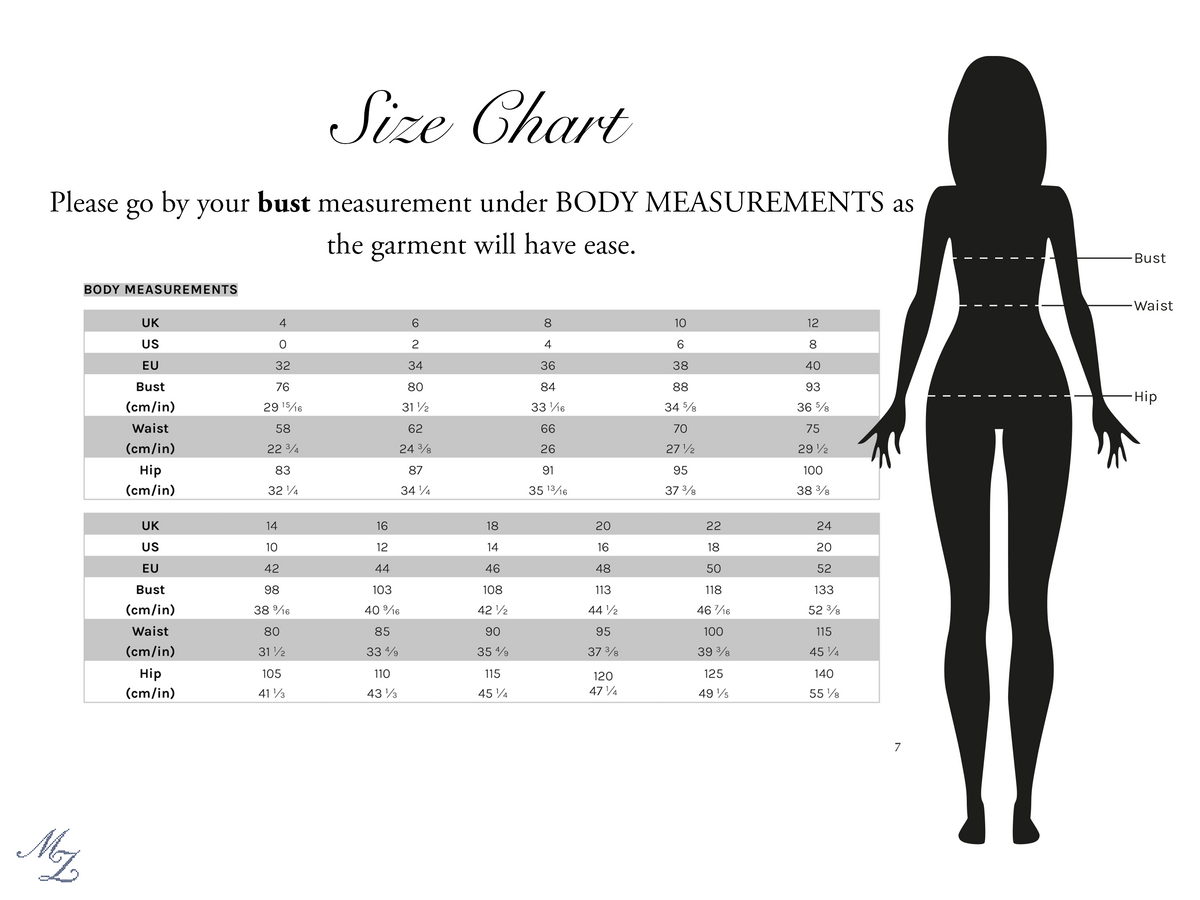
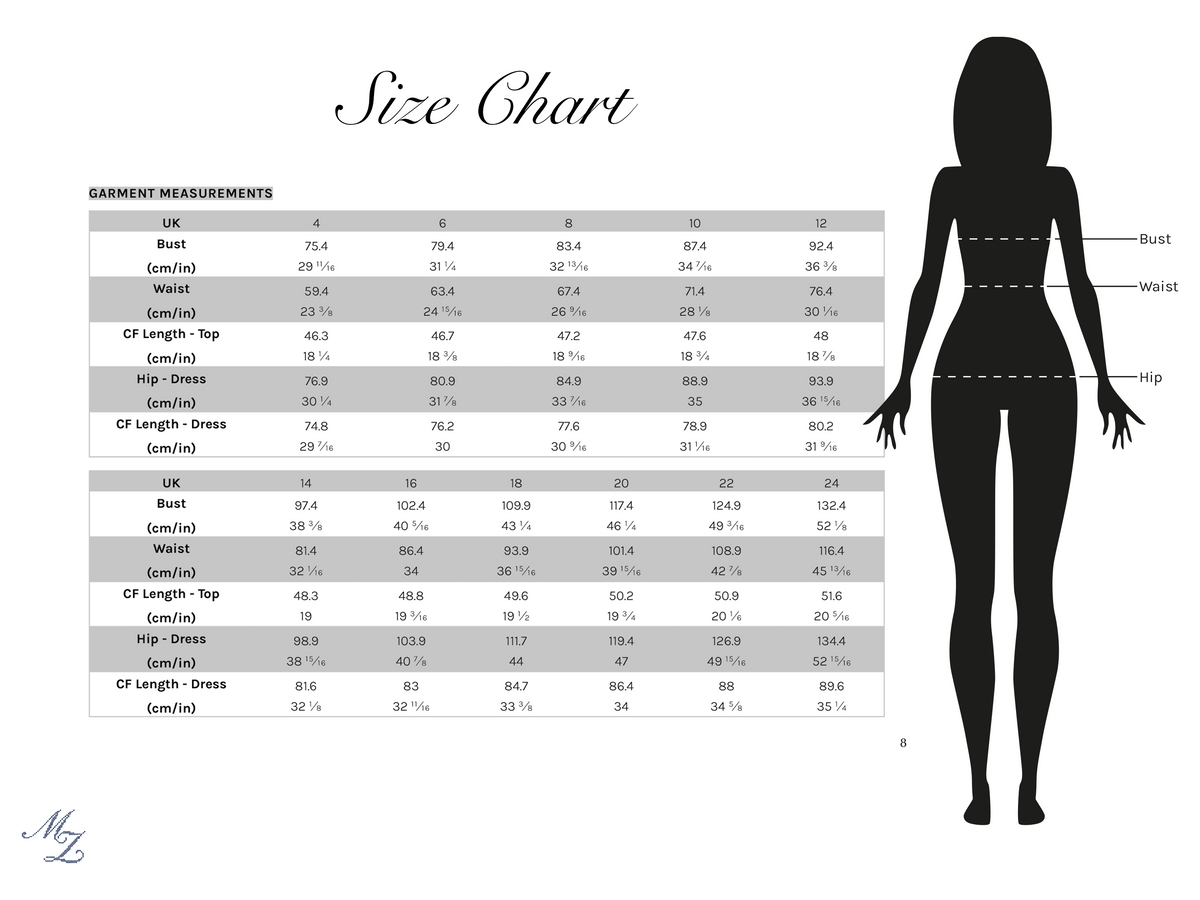
See size chart in images
Shipping & Returns
Shipping & Returns
This product is a digital download. File will be delivered to email automatically.
No returns accepted on digital downloads.
Copyright Disclaimer
Copyright Disclaimer
© Mina Zhao, 2025. All rights reserved.
This digital sewing pattern is for personal use only. You may print and use this pattern to create garments or projects for yourself or as gifts.
- Not permitted: Sharing, copying, redistributing, reselling, or altering this pattern (in part or in whole) for sale or free distribution in any form, including digital or physical copies.
- Finished items: You may NOT sell finished items made from this pattern on any scale.
- No mass production: Large-scale or factory production using this pattern is strictly prohibited.
- Social media sharing: If you produce content that is intended to generate income, credit to the pattern creator is required.
By purchasing this pattern you agree to these terms of use.
FAQ
FAQ
The pattern has since updated since I bought it, what can I do?
Drop me a message/email, I'll be happy to send you a new link!
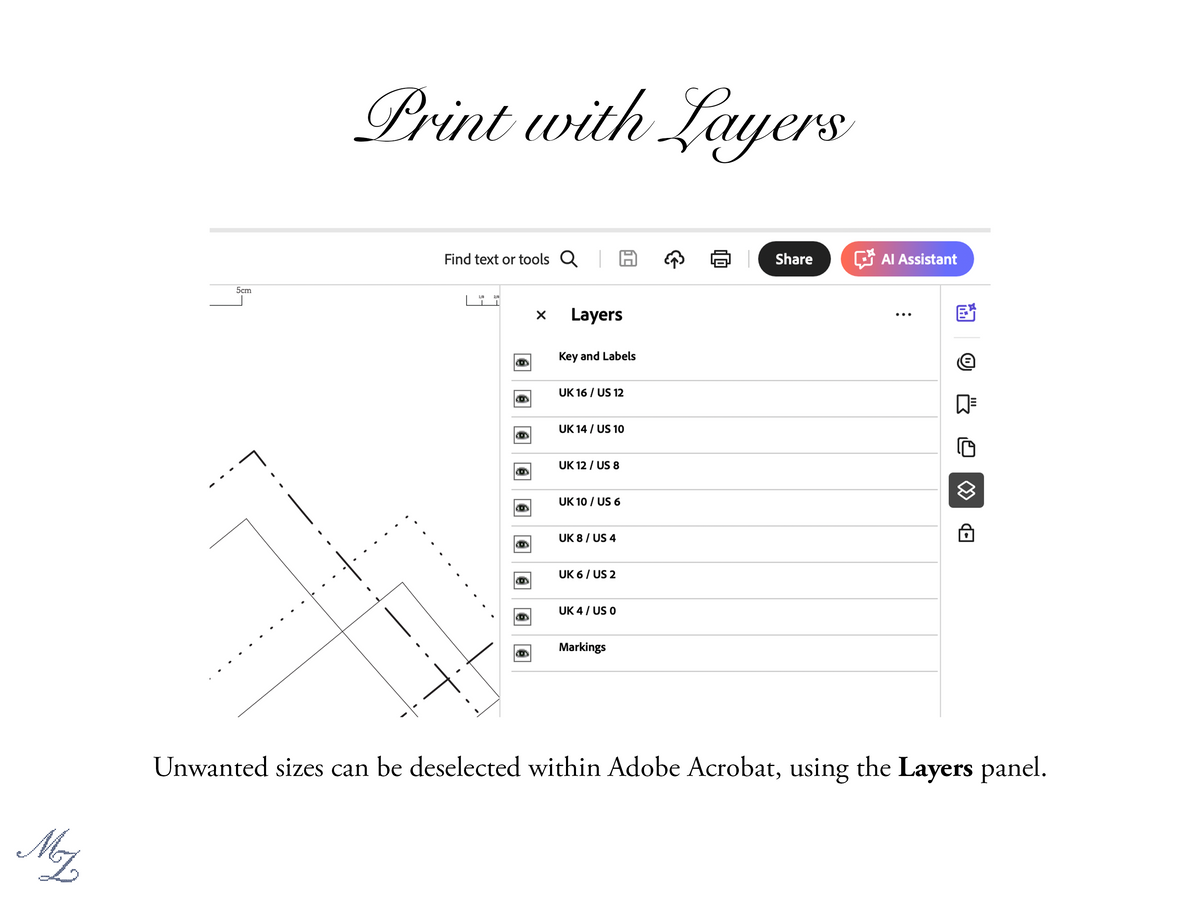
Why can I not see the layers option?
If you are on the app version of Adobe Acrobat, it does not currently support the layers feature; it is only available on desktop.
It says "Read-only" when I try to select the layers. What do I do?
Sometimes Acrobat displays this message. Just click "OK" and then try to select it again, it should work.
Share
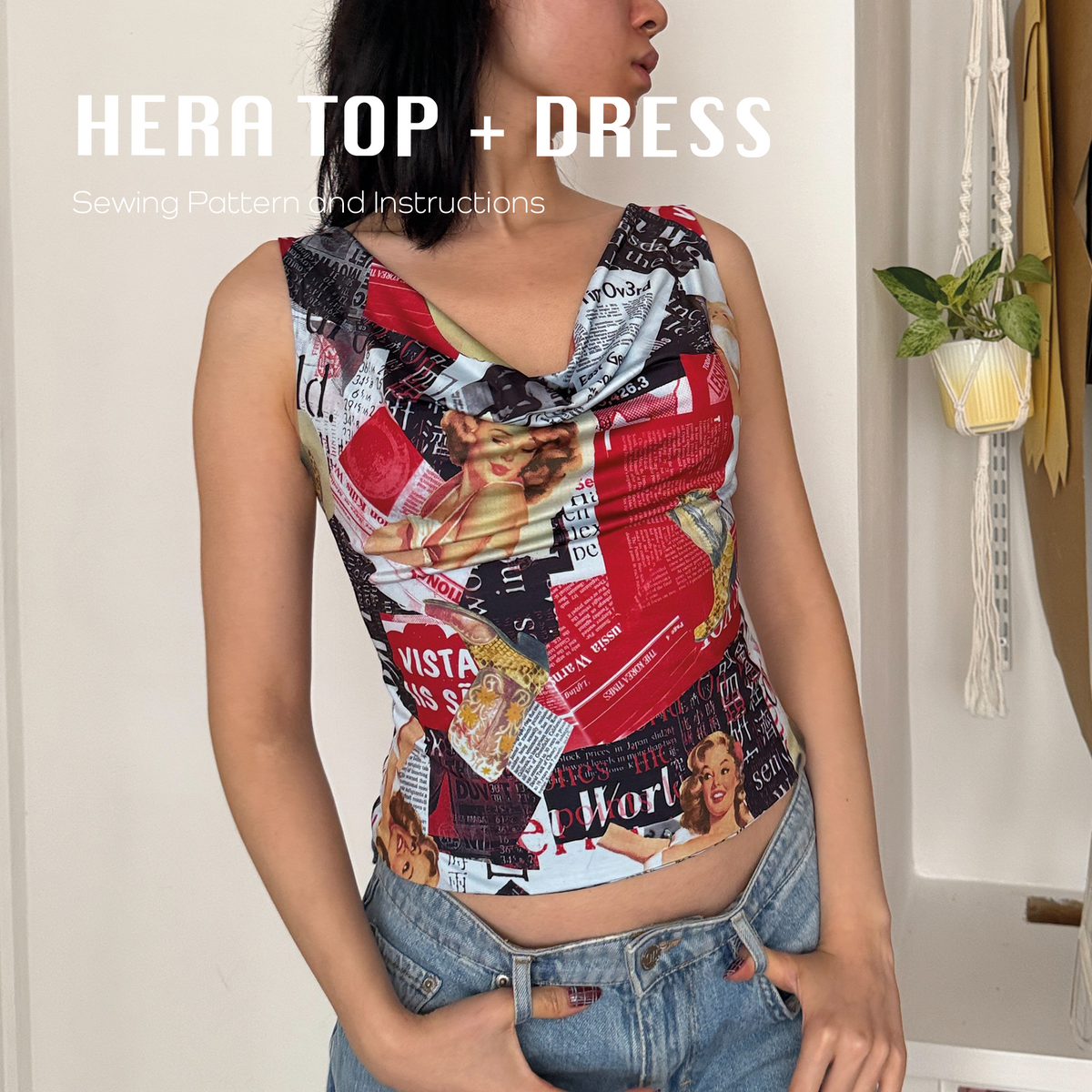


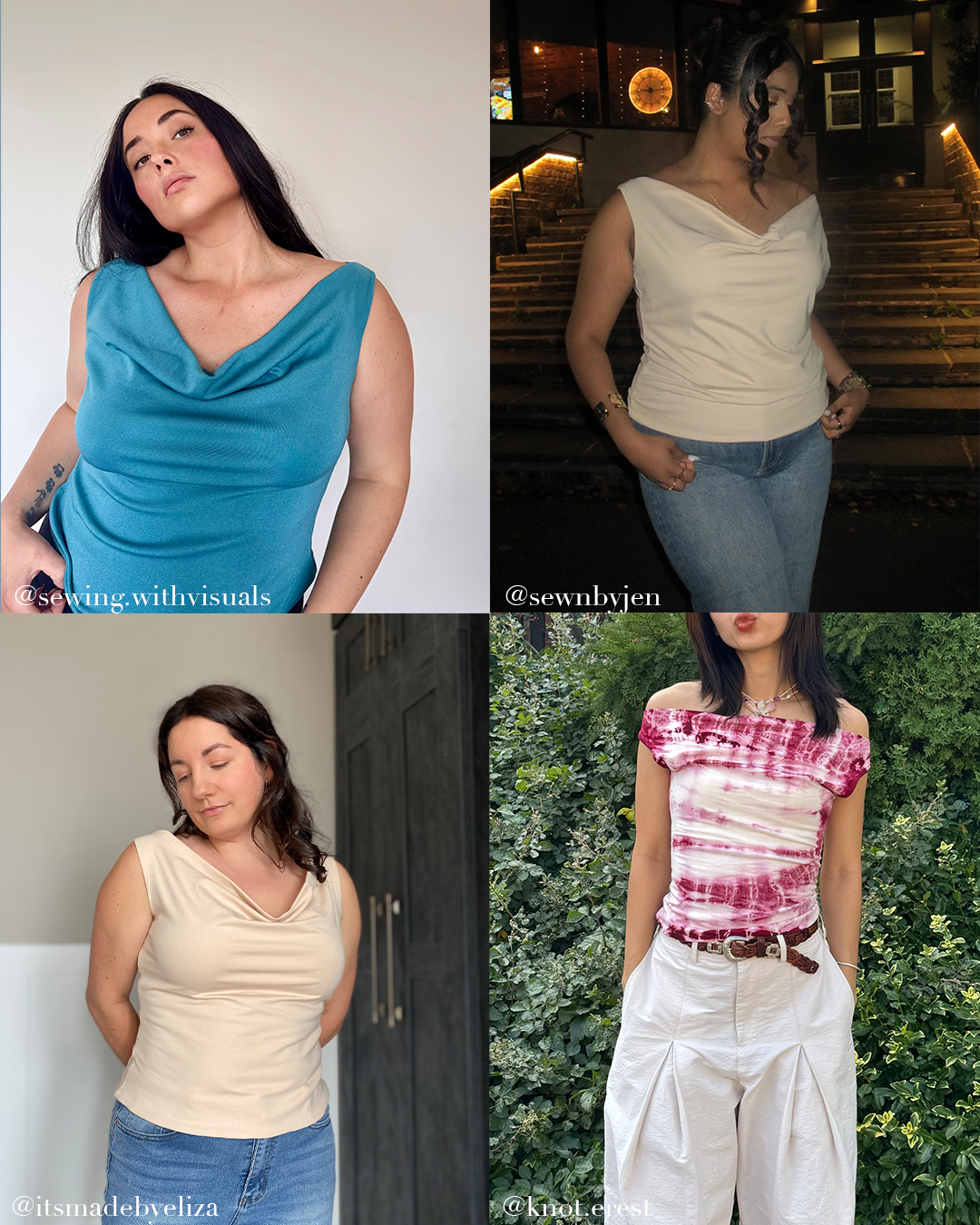
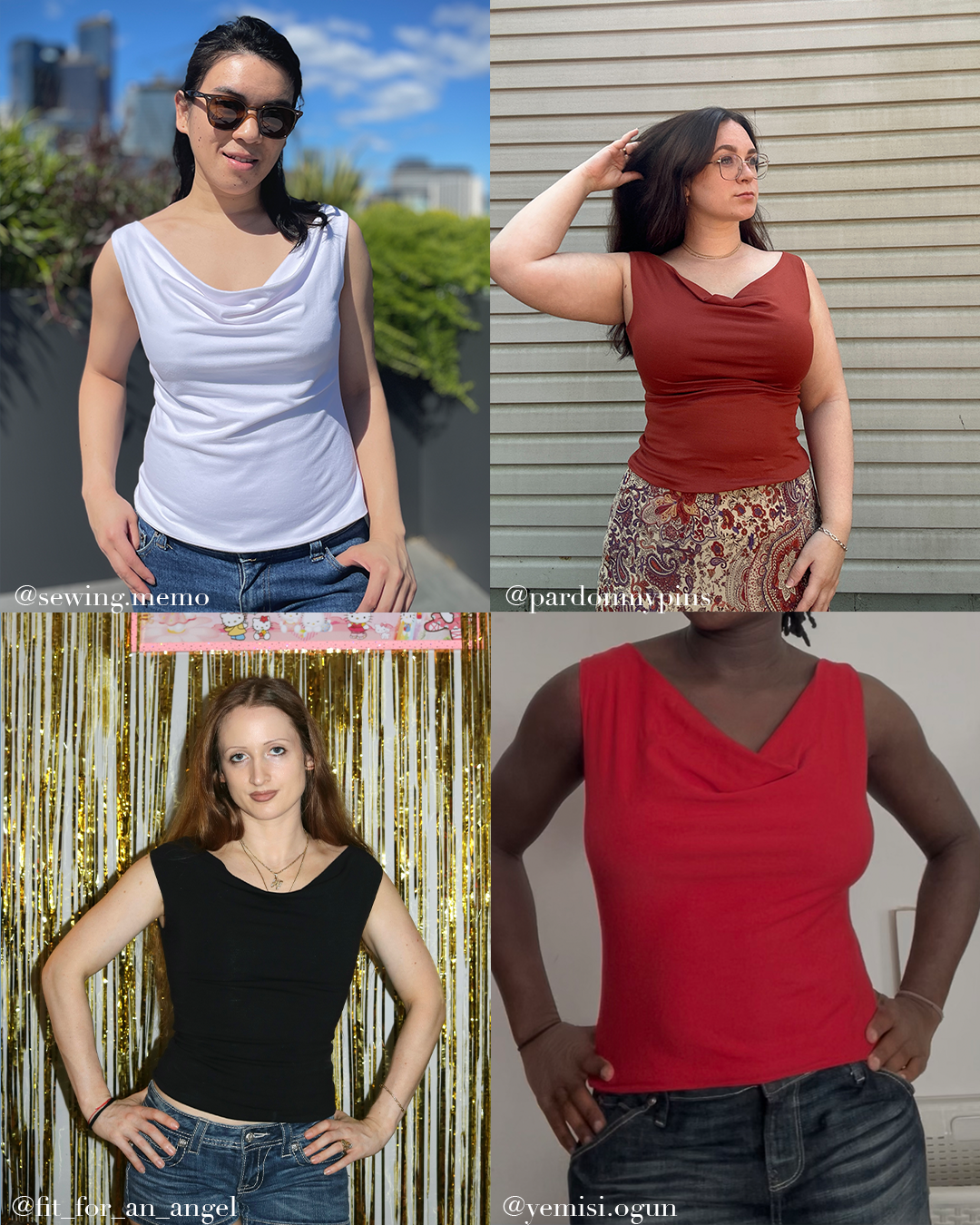
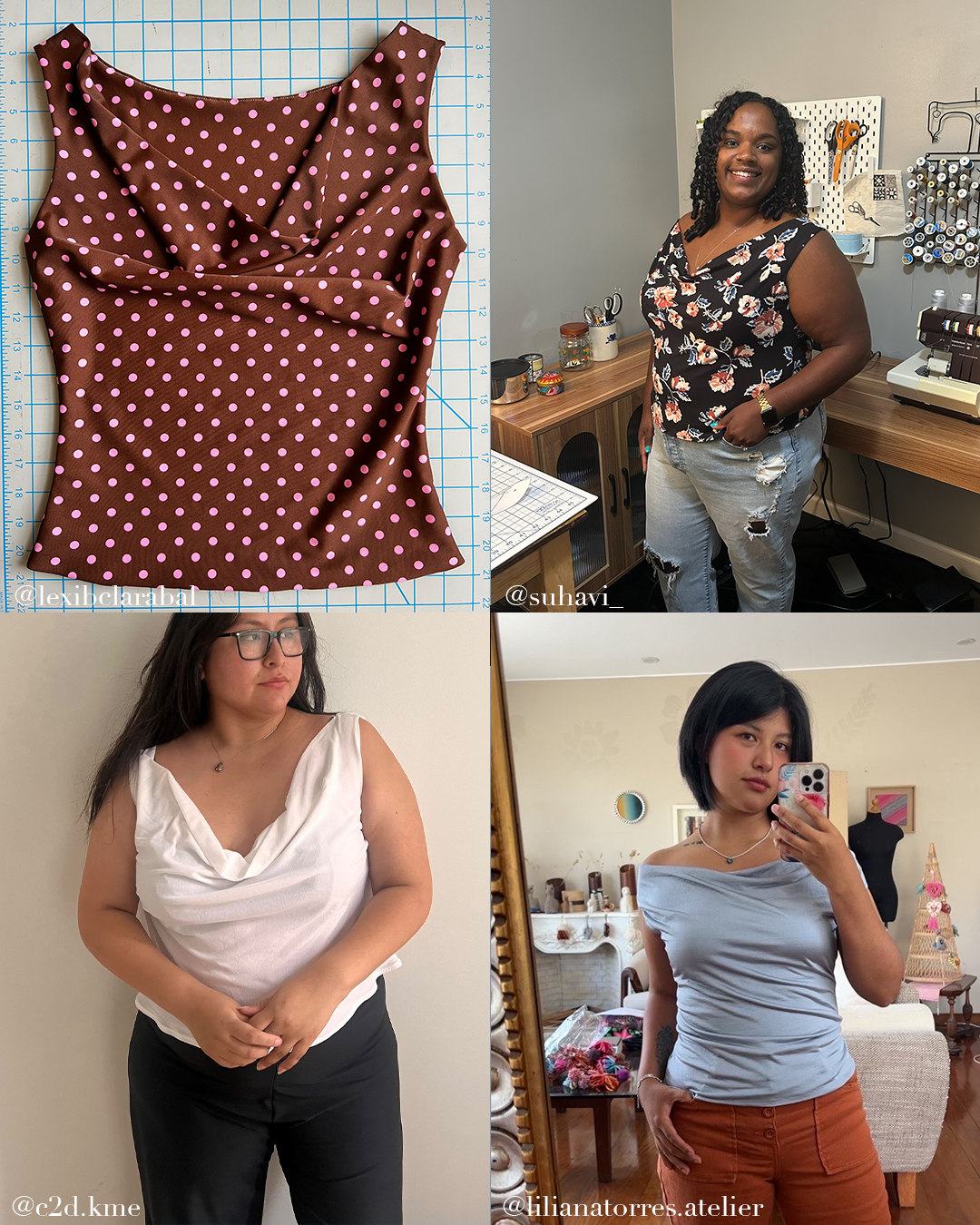
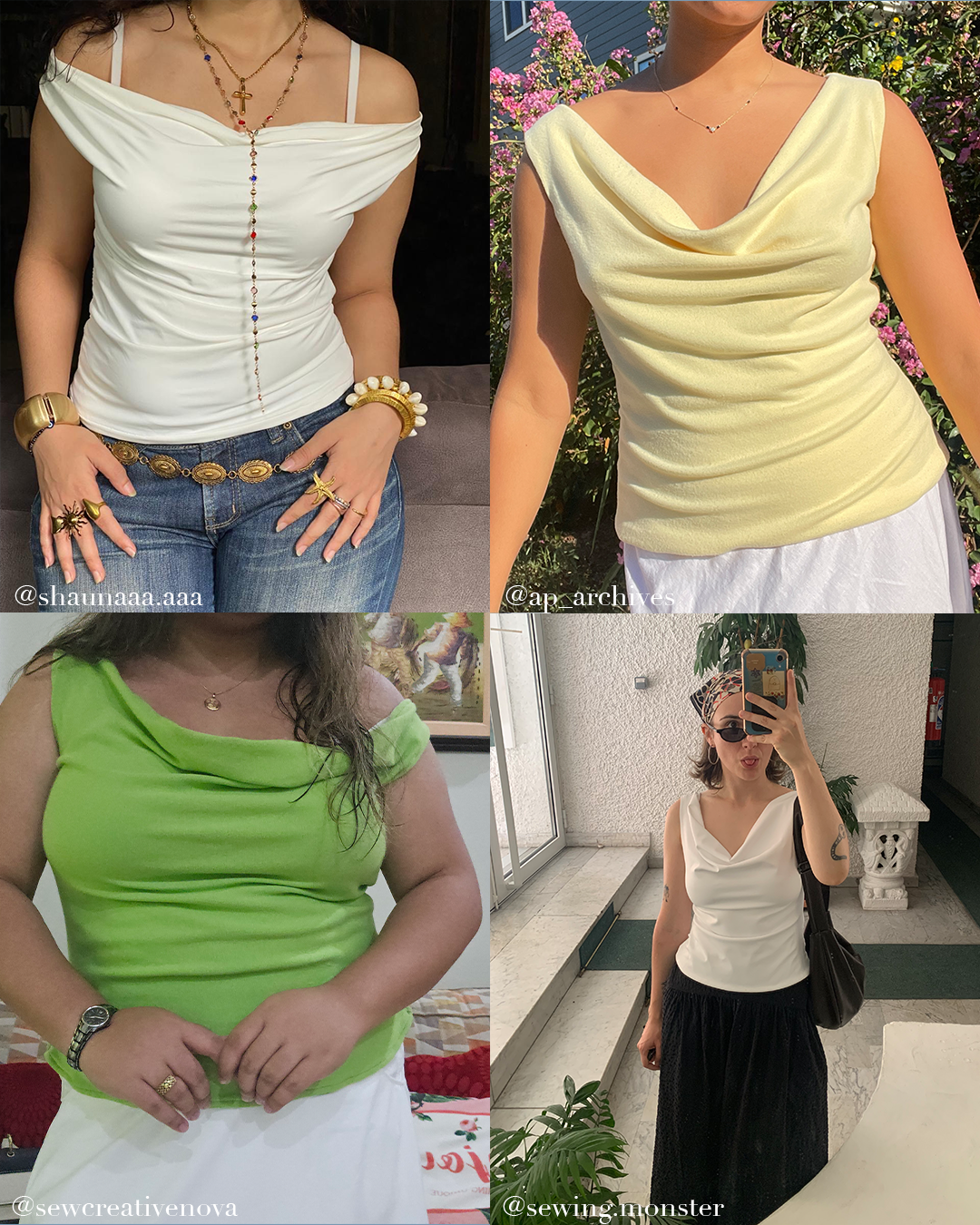


I am relatively new to sewing especially, with jersey or knit fabrics. I've also never downloaded and used a pdf pattern before as I have been put off by all the cutting out and sticking together! But, this project was really easy to follow, had clear instructions and information along with the video and photos. I love how my top came out and have already purchased other fabric to make it again. Thank you.
Cute and easy to sew but I found it ran really, really small!
I love the idea of this top and in the end it turned out beautifully but I did have to make it much smaller to fit. After I made most of the garment, I took about 1 inch in on each side to make it fitted, as seen in the pictures, with my stretch fabric. Once those adjustments were made, I like the end result